Shopify app
Buy more, save more. Applied at checkout.
Cartnorm Bundles & Discounts adds quantity tiers like “buy 2, save 10%; buy 3, save 15%” to your store. Shoppers see the price per item on the product page, and the discount applies itself at checkout.
How it works
Live in three steps
1
Create an offer
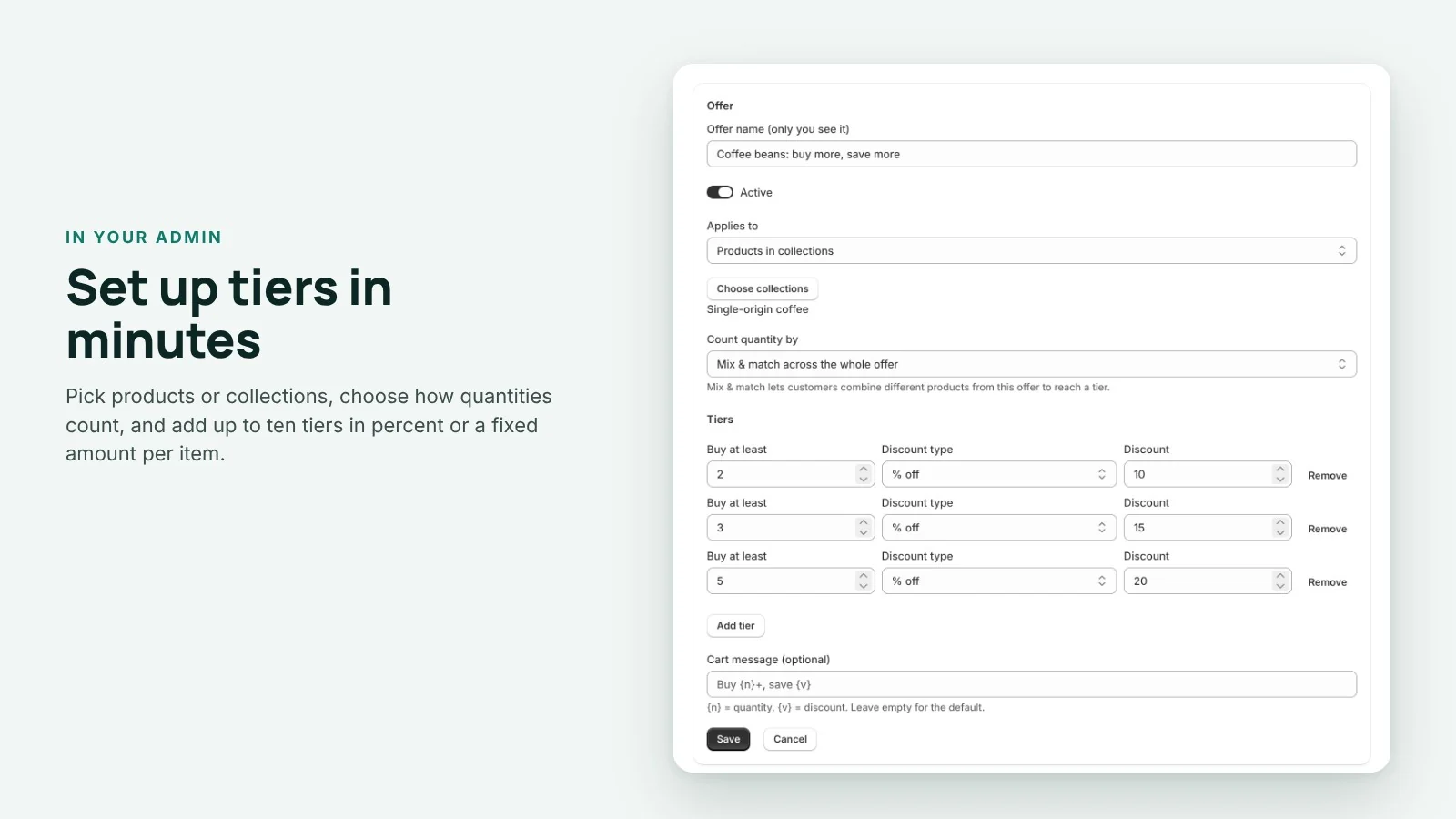
Pick products, collections or your whole catalog, then add tiers such as 2+ save 10%, 3+ save 15%, 5+ save 20%.
2
Add the block
One click opens your theme editor with the “Volume discount tiers” block already on the product page. Click Save.
3
Shoppers save at checkout
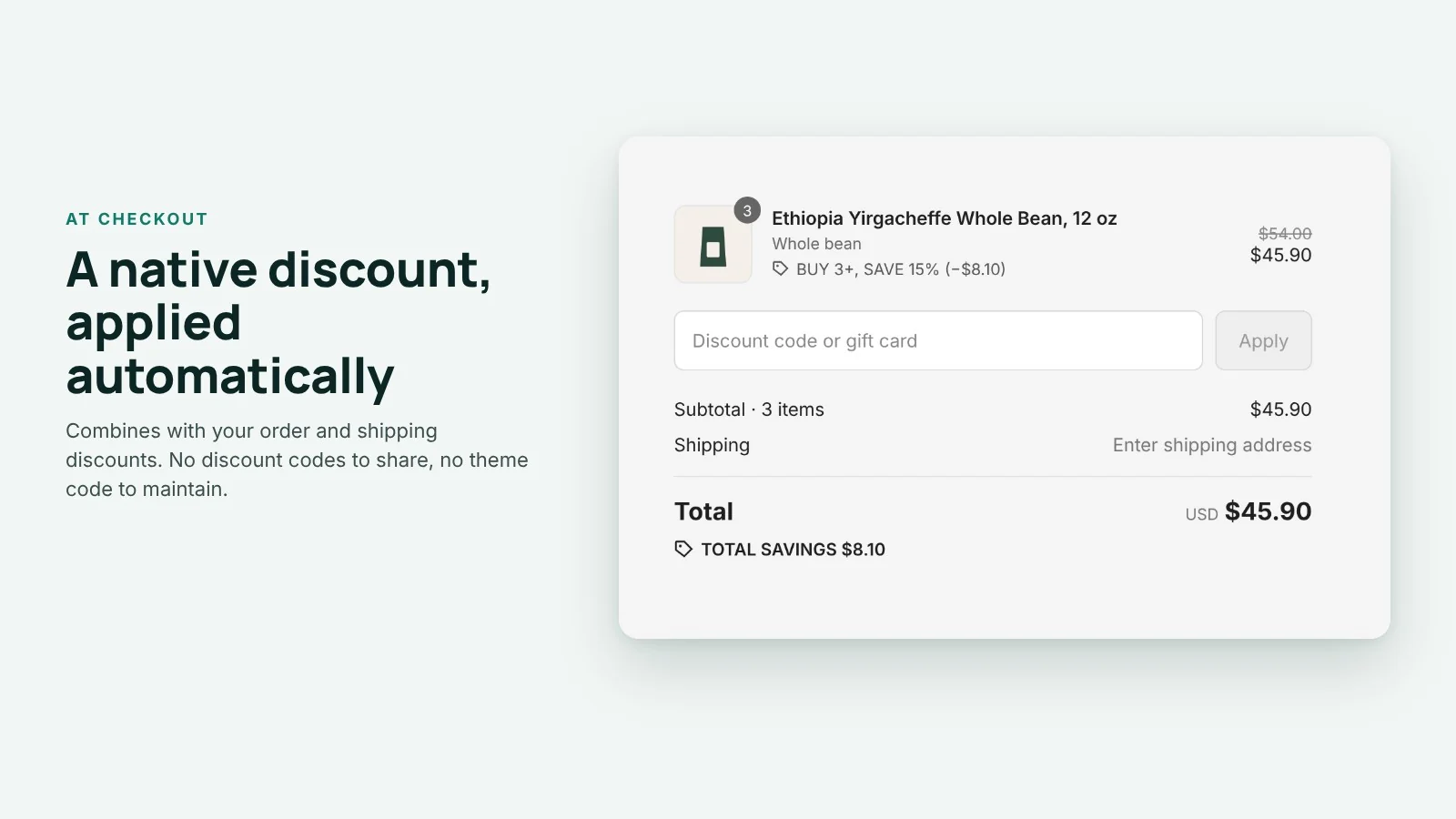
The discount applies by itself at checkout as a native Shopify discount. No codes to share.
Features
Everything a quantity discount needs
Tiers by product, variant or mix and match
Count each product, each variant on its own, or every item in the offer together, so “any 3 from this collection” works too.
Percent or fixed savings per item
Take a percentage off or a fixed amount off each item. Fixed amounts are converted for every market currency you sell in.
The real price per item, up front
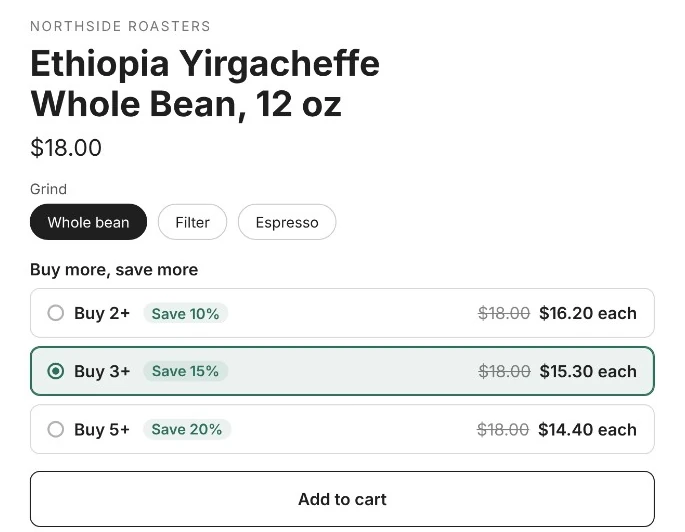
The product page lists every tier with the struck-through price, the price per item and the saving. One tap sets the quantity.
A native checkout discount
Built on Shopify Functions as an automatic discount. It combines with your order and shipping discounts.
No theme code
The block is a theme app extension for Online Store 2.0 themes. Nothing to paste, nothing left behind if you remove the app.
A monthly report
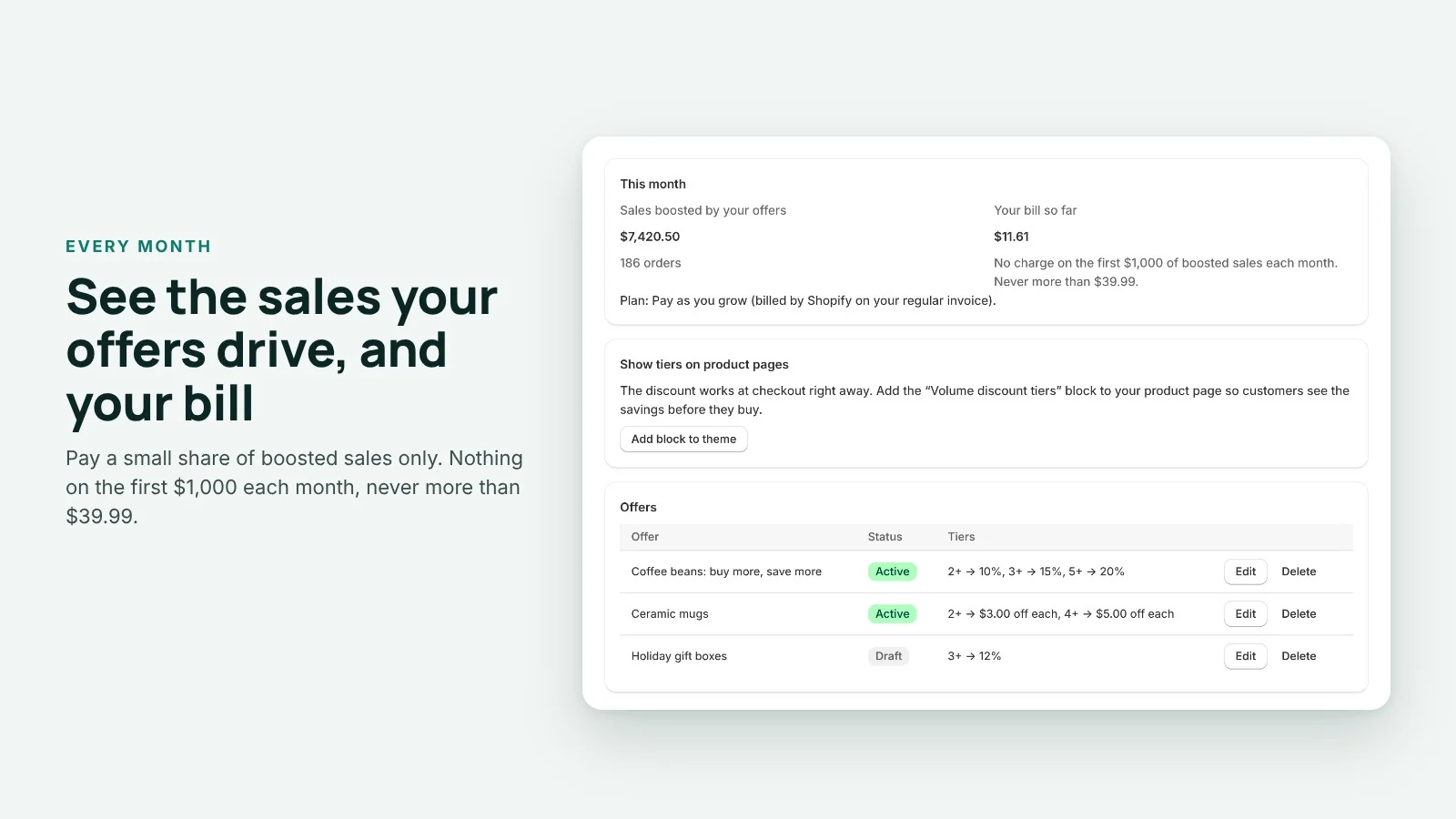
See the sales your offers drove this month and your bill so far, right in the app.
Screenshots
From your admin to the checkout
Pricing
Pay as you grow
You pay a small share of the sales your offers drive. If your offers bring no sales, you pay nothing.
Pay as you grow
One plan, every feature
$0 up to $1,000 boosted sales a month
Then gradually more, never above $39.99 a month.
Install on ShopifyAll features, no limits on offers or products
Test orders are never charged
Billed by Shopify on your Shopify invoice
Uninstall any time, billing stops
| Boosted sales in a month | Your bill |
|---|---|
| $1,000 or less | $0 |
| $2,500 | $3.75 |
| $5,000 | $10.00 |
| $10,000 | $13.34 |
| $20,000 | $20.01 |
| $50,000 | $30.00 |
| $80,000 and more | $39.99 |
Boosted sales are the order lines where one of your offers was applied, after discounts, converted to USD at the daily rate. Refunds lower them. Prices in USD. Full terms: Terms, section 4a.
Questions
Do I need to edit my theme code?
No. The tiers are shown by a theme app block that you place in the theme editor. The discount itself needs no theme changes at all.
Which themes does it work with?
The product page block works with Online Store 2.0 themes, which includes Dawn and the other free Shopify themes. The checkout discount works with any theme.
Does it combine with my other discounts?
Yes, with order discounts (like 10% off the order) and shipping discounts. If another product discount applies to the same item, Shopify uses whichever saves the customer more.
What counts as “boosted sales”?
The value, after discounts, of the order lines where one of your offers was applied, converted to USD at the daily rate. Refunds of those lines lower the figure. Test orders and orders without your offer are never counted.
How am I billed?
Shopify bills you on your regular Shopify invoice. You approve the plan in Shopify when you install. The first $1,000 of boosted sales each month are free, and the bill never goes above $39.99 a month.
What happens if I uninstall?
The automatic discount stops, the block disappears from your product pages and billing ends. Your shop data is deleted as Shopify requires.
How do I get help?
Read the setup guide or write to [email protected]. We answer every message.
New here? Start with the setup guide.
Reward the shoppers who buy more
Install from the Shopify App Store and set up your first offer in a minute.